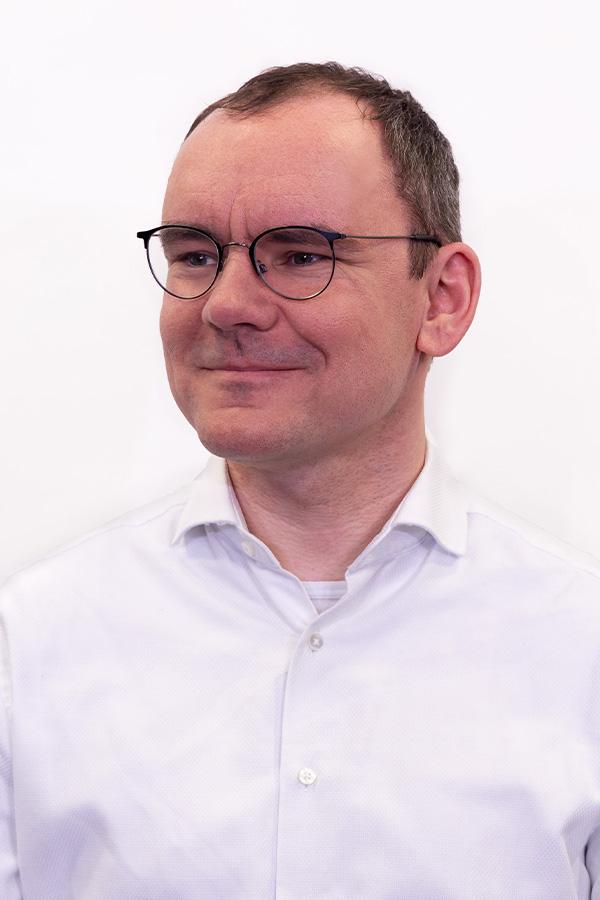
 I am a professor of information security and computer networks at Hochschule Worms, where I am also the scientific director of the Center for Technology and Transfer, and lecturer at the FernUniversität in Hagen. Earlier, I was a PostDoc at the Dep. Cyber Security of Fraunhofer FKIE in Bonn, where I led a research team on smart building security. I received both, my doctoral degree (2013) and my habilitation (Dr. habil., 2020), from the Faculty of Mathematics and Computer Science at the FernUniversität in Hagen.
A list of my ca. 180 publications can be found here. I also wrote some non-academic books about the Linux operating system and contributed open source code/patches to the free software community. There is a list of selected talks that I gave. I am a member of several steering committees, initiatives, program and organizing committees (cf. details). I am (or was) lecturing and supervising at several institutions. A list of my projects, both funded and spare-time software projects, is also available. Last, but not least, I founded the stego punk research group.
Research interests
- Network Steganography / Covert Channels
- Network Security (incl. IoT/CPS)
- Smart Home / Smart Building Security
- Anomaly Detection
- Terminology/taxonomy in information security
Academic Profiles: Google Scholar, DBLP, ORCID, ResearchGate, Mastodon: @cdpxe@dju.social.
Contact: steffen (at) wendzel (dot) de (PGP pub key: FD701BD1).
Recent News
2024-Apr-12
- A successful GI Sicherheit conference came to an end. Thanks to all attendees for joining!
- My former PhD student Tobias Schmidbauer just became a professor at TH Nürnberg. Huge congrats!
2024-Feb-11
- I became an ACSAC’24 PC member.
- In January, our new project WoDiCoF+ started (3-years project, funded by BMBF as sub-project of EMPOWER).
- We are getting close to GI Sicherheit 2024, which I chair. Registration is now open: https://sicherheit2024.ztt.hs-worms.de/
2023-Dec-19
- We are organizing a special session at IHMMSec 2024, see here
2023-Nov-15
- Our paper Look What’s There! Utilizing the Internet’s Existing Data for Censorship Circumvention with OPPRESSION has been accepted at AsiaCCS’24!
2023-Jul-14
- I will serve as the Chair of GI Sicherheit 2024. This is a conference of the German Informatics Society (GI). We will organize the conference in Worms, Germany, April 9-11, 2024.
- There is some German news about our research on aging smart devices, see here: Studie zu Risiken alternder Smart Home Geräte veröffentlicht
2023-Jul-07
- I will give a talk Herausforderungen an die IT-Sicherheit in der Gebäudeautomation at VDI Arbeitskreis Bauen und Gebäudetechnik: Technische Ausrüstung, online, 2023-08-08.
2023-Jun-23
- In October, I will give an online webinar at EURASIP on Recent developments in Network Information Hiding, see here.
2023-Jun-06
- There is some press release (in German) about the start of our EMPOWER sub-project that forms a cyber security hub for the region (funded: 2.4 Mio. EUR, BMBF).
- Two of my PhD students and myself recently visited Prof. Wojciech Mazurczyk at Warsaw Technical University (WUT).
2023-Apr-19
- My first PhD student just finished his doctorate today. Huge congrats to Tobias Schmidbauer!
- Update: news entry
2023-Apr-12
- Our new paper Why People Replace their Aging Smart Devices: A Push–Pull–Mooring Perspective was just accepted at Computers and Security (COSE). The early access version is already available.
2023-Apr-05
- Today, I gave a talk on Censorship Circumvention, Steganography and Traffic Obfuscation at the Cyberagentur, Halle. The slides are available for download.
2023-Mar-23
- I visited my colleague Jean-Francois Lalande and give a talk on Obfuscation and Concealment Methods for Network Traffic at CentraleSupélec, Rennes.
2023-Feb-13
- I already teach in Hagen since a few semesters but today I gave my inaugural lecture at the University of Hagen.
2023-Feb-05
- New article Weaknesses of popular and recent covert channel detection methods and a remedy by S. Zillien and me was published by IEEE Transactions on Dependable and Secure Computing (TDSC).
2023-Jan-07
- Our new article Avoiding research tribal wars using taxonomies was just published in IEEE Computer Vol. 56(1).
2022-Dec-23
- Our latest work’s pre-print on a new category of covert channels called history covert channels is now available arXiv: https://arxiv.org/abs/2212.11850.
2022-Dec-04
- Last week, I was a visiting researcher at the Institute for Applied Mathematics and Information Technologies (IMATI), Genova, to work jointly with my long-time colleague Luca Caviglione.
2022-Nov-21
-
We recently had a great kick-off for our KIASH project.
-
I gave a talk about writing a Linux book for twenty years at the Linux Presentation Day 2022/2 at Hochschule Worms. The talk was covering the history of our German Linux book. Its history dates back till 2002 (first edition appeared 2004).
2022-Nov-12
-
I now operate a Mastodon profile (@cdpxe@dju.social).
-
I am very pleased that our new BMBF-funded project EMPOWER received funding for five years (2023-2027). We will run a sub-project on cyber security, funded with around 2.4 Mio. EUR! The project is mostly having a regional focus (Rhine-Main-Neckar area in RLP and connected states). Under the umbrella of this project, we will build a cyber security innovation lab, a think tank, and run several sub-projects, also to empower regional SMEs. Let us know if you are interested in collaborating with us.
2022-Oct-17
- Our new paper Anomaly Detection for Industrial Control Systems Through Totally Integrated Automation Portal Project History appeared in JoWUA.
2022-Oct-04
- We reworked the website on hiding patterns: https://patterns.ztt.hs-worms.de.
2022-Sep-30
- Our new special issue for the Journal of Universal Computer Science (J.UCS) targets Cybersecurity Risks from a Multidisciplinary Perspective (Call for Papers). Looking forward for your submissions!
- There is some news about our steganography taxonomy work and my keynote related to it (in German).
2022-Aug-20
- Next week, I will give a keynote about hiding patterns in steganography at the CUING workshop (ARES conference, Vienna).
- Our PhD student Tobias Schmidbauer will present our paper Challenging Channels: Encrypted Covert Channels within Challenge-Response Authentication, also at the CUING workshop.
2022-Jul-13
- Our new BMBF-funded project is about to start: KIASH will investigate privacy-preserving AI-based anomaly detection for smart homes. The project will be conducted from 2022 till 2025.
- During the last year, we revised the 2021-taxonomy for steganography methods and heavily extended the previous taxonomy. More information can be found on the steganography hiding patterns website and in the pre-print.
- I am honored to serve as the program co-chair of the European Interdisciplinary Cybersecurity Conference 2023 (EICC’23), 2023, Stavanger, Norway. I hope the conference can take place in person.
2022-Jun-14
- I am honored to give the keynote at this year’s CUING workshop.
2022-Jun-10
- Our paper Challenging Channels: Encrypted Covert Channels within Challenge-Response Authentication was accepted at the CUING workshop co-located with the ARES conference in Vienna and will be presented in August.
2022-May-31
- Our AsiaCCS SoK paper on indirect network covert channels is now available for download.
- It looks like my group receives two new BMBF-funded security projects this summer. Stay tuned!